
Find the key of a song
Use the music and a reference pitch to check the reading.
Practical notes on making music, choosing tools and getting the next session ready.
Published by Capiscana, Inc., maker of SESSION™ products. About these comparisons.
Explore the libraryStart here · Remote mix review
Set up a stereo review from Pro Tools to a client’s browser. Follow the signal, check what the listener hears, and keep the conversation separate.
Read the Pro Tools guide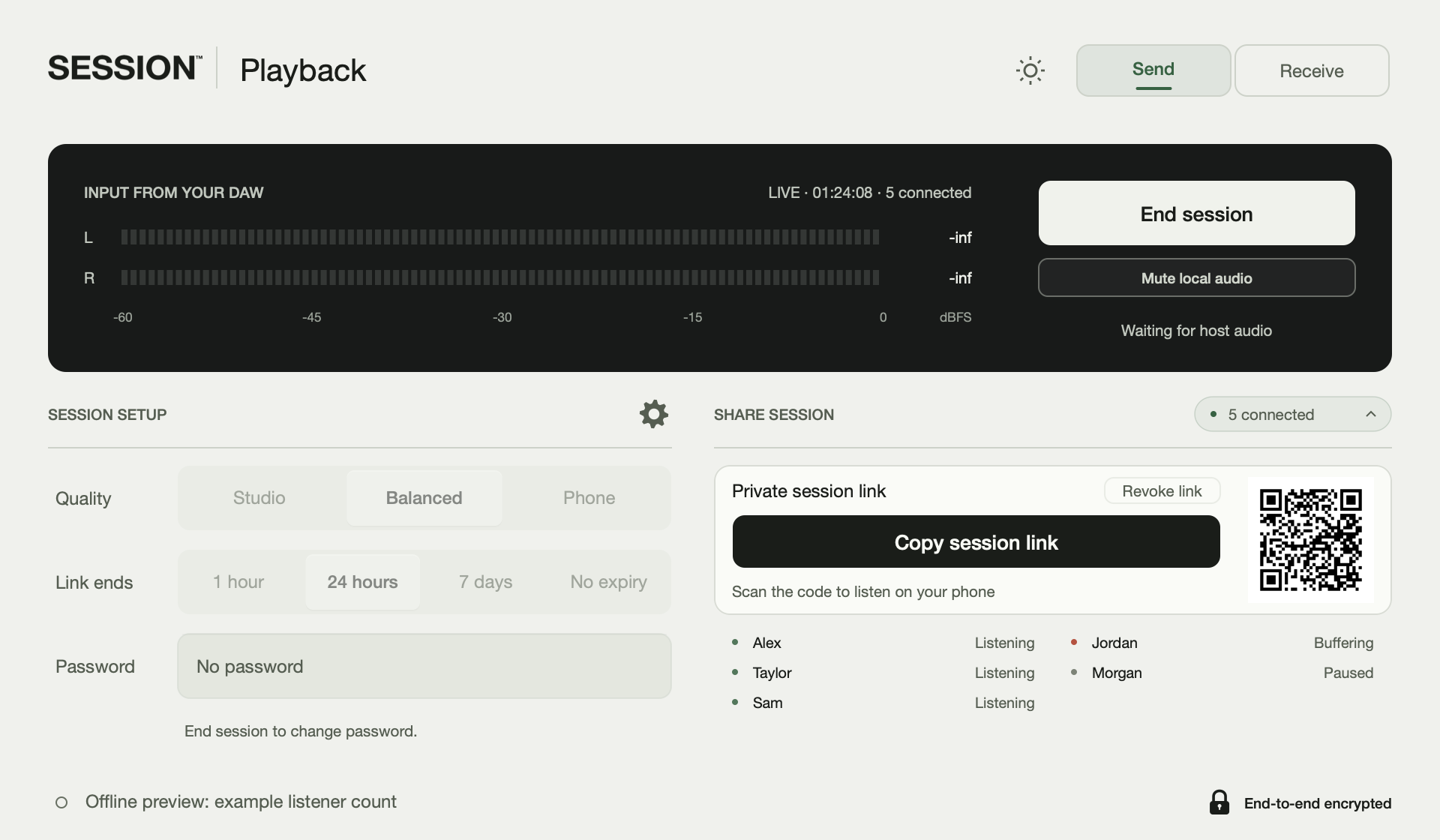
Use the music and a reference pitch to check the reading.
Set up the listening route from your Logic Pro session.
Check supported versions, setup and the values that arrive.
Compare the input, the destination and the work you need to do. These guides use published documentation, not independent performance tests.
Live readers, file analyzers, DJ libraries and practice tools.
Stereo review, remote recording, virtual studios and picture review.
Mixed In Key alternatives · Tunebat alternatives · LISTENTO alternatives
The reading room
Practical guides and comparisons,
organized around the work.
71 articles
Share the stereo mix from Pro Tools with SESSION™ Playback. Mac sender, free browser listeners, $9.99 monthly or $59 billed annually.
Find the note that sounds like home, then check how the melody and harmony relate to it. A detector gives a candidate to test; the musical context decides whether that label is useful.
For stereo client review on a Mac, SESSION™ Playback costs $59 a year versus $99.99 for LISTENTO Basic. Both let clients listen in a browser. Compare the price, listener count and audio formats your session needs.
Both Mixed In Key Live and SESSION™ Key analyze audio playing on a computer. SESSION™ Key adds supported DAW sends, file and microphone modes, and a confidence readout on an Apple silicon Mac.
Share the stereo mix from Logic Pro with SESSION™ Playback. Mac sender, free browser listeners, $9.99 monthly or $59 billed annually.
Auto-Tune with SESSION™ Key: send key and major/minor scale to supported open instances.
Compare live readers, DAW plugins, file analyzers, DJ-library tools and practice apps. Start with where the music is playing and where the result needs to go.
Compare stereo mix review, virtual studios, remote recording, online rehearsal and picture review. The right tool depends on what the remote person needs to do.
AutoKey 2 detects key, scale and tempo inside the Auto-Tune workflow. SESSION™ Key combines Mac-wide analysis with supported DAW sends and a separate send to compatible Auto-Tune instances.
AudioKeychain provides online key/BPM estimation and a searchable song database. SESSION™ Key analyzes the audio on the Mac and supports a direct path from the reading to supported DAWs.
AudioTeleporter and SESSION™ Playback let clients hear DAW audio in a browser. AudioTeleporter includes a free tier; Playback offers several stereo quality modes and a Mac sender.
beaTunes analyzes and organizes a music library, including key and tempo information. SESSION™ Key reads current audio or a dropped file and sends supported values into the production session.
Cleanfeed provides browser-based live audio and recording. SESSION™ Playback starts in a Mac DAW and sends its stereo mix to free browser listeners.
dBaton CUE and SESSION™ Playback share live DAW audio with browser listeners. CUE offers a one-time license; Playback uses a sender subscription.
First verify the input and the passage. Then distinguish a different spelling, a relative-key ambiguity, a modulation, a modal passage and an incorrect result.
Some drums have clear pitch. Timpani, tuned toms and sustained electronic kicks are examples. A pitch and a musical key are different things, so a drum hit does not automatically establish a tonal center.
A live reader can analyze audio while it plays. Its result reflects the material heard so far, which is different from analyzing a whole file or looking up a released song in a database.
Ableton Live with SESSION™ Key: send tempo in Live 11 and 12, with scale support in Live 12.
Bitwig Studio with SESSION™ Key: send tempo and set the Music Scale destination.
Cubase with SESSION™ Key: send tempo directly and import key through the generated MIDI file.
FL Studio with SESSION™ Key: send tempo through the included controller integration.
Logic Pro with SESSION™ Key: send project tempo and key signature.
Pro Tools with SESSION™ Key: send session tempo and the Key Signature ruler.
REAPER with SESSION™ Key: send tempo using the documented integration.
Reason with SESSION™ Key: send tempo through the supported integration.
Studio Pro (formerly Studio One) with SESSION™ Key: send tempo and key with the documented setup.
Evercast and Louper address remote review of picture and sound. SESSION™ Playback addresses stereo audio review from a DAW. The presence of video changes the purchasing requirements.
FarPlay is designed for two-way musical interaction with audio, video and recording tools. SESSION™ Playback is designed for listening to and reviewing a stereo mix.
Ginger Audio AUTHENTIC combines audio streaming with video, talkback and multichannel options. SESSION™ Playback focuses on stereo mix review from a Mac DAW to browser listeners.
HoRNet SongKey MK4 combines chord, key and tempo analysis with plugin and standalone workflows. SESSION™ Key provides a Mac menu bar readout and optional sends to supported DAWs and Auto-Tune.
Count a steady beat over a measured interval, then check it against a metronome. BPM is beats per minute; the choice of beat matters as much as the arithmetic.
JackTrip supports networked music collaboration through virtual studios and its open-source project. SESSION™ Playback sends a stereo DAW mix to listeners for review.
Jamulus connects musicians through a server for playing together online. SESSION™ Playback sends a stereo mix from a Mac DAW to browser listeners for review.
Practical input, analysis and DAW checks for 91 key-and-tempo situations.
KeyFinder is a focused key-estimation tool for audio files. SESSION™ Key adds tempo, live Mac and microphone inputs, and supported sends to the DAW.
LANDR Sessions presents video chat with DAW audio for remote production, feedback and lessons. SESSION™ Playback provides a stereo listening link from a Mac DAW alongside a separate conversation.
Share the stereo mix from your Mac DAW with SESSION™ Playback. Mac sender, free browser listeners, $9.99 monthly or $59 billed annually.
Start with the delivery: a stereo client review, multichannel audio, a recorded performance or a picture review. Then compare sender and receiver requirements.
Mixed In Key 11 analyzes full songs for key, scale, BPM and energy. SESSION™ Key reads Mac output, microphone input and dropped files, then sends supported readings into the current DAW.
Mixed In Key spans library preparation, live reading and plugin analysis. Choose the part you need to replace, then compare its input, output and system requirements.
Mixed In Key Studio Edition analyzes an audio channel inside a DAW. SESSION™ Key is a separate menu-bar app that reads Mac output, microphones or files and sends supported values into the project.
Mixxx includes key and BPM analysis within a full DJ application. SESSION™ Key is a separate Mac utility for reading musical references and sending supported readings into a production session.
Moises and Chordify help musicians learn and practice songs. SESSION™ Key is for identifying key and tempo while producing on a Mac and moving supported values into the session.
Muse brings audio collaboration, recording, file sharing and screen control into an app. SESSION™ Playback focuses on letting someone hear the current stereo mix from a Mac DAW.
Compare creative prompts and songwriting exercises, with current Session Cards™ availability.
Compare Oblique Strategies with Session Cards™: abstract prompts, practical moves and current availability.
rekordbox organizes music and analyzes tracks for DJ preparation and performance. SESSION™ Key reads music on a Mac while producing and can send supported key and tempo values into the working session.
C major and A natural minor share a key signature and pitch collection. Their tonal centers differ, so the same set of note names does not by itself determine which key a passage establishes.
Scaler 3 develops chord progressions and arrangements; Scaler Detector isolates key, scale and chord detection. SESSION™ Key is a menu-bar analysis and send workflow for the current Mac session.
Serato DJ, Traktor and VirtualDJ include track-analysis workflows for DJ preparation. SESSION™ Key serves the separate task of reading a reference and sending supported key or tempo information into a Mac production session.
Sessionwire combines a virtual studio's communication and collaboration tools. SESSION™ Playback is a focused route from a Mac DAW's stereo output to listeners in a browser or receiving plugin.
Keep lyrics and session notes in the SESSION™ Notebook. White hardcover, 150 lined pages, $40 with US shipping included.
Share the stereo mix from Ableton Live with SESSION™ Playback. Mac sender, free browser listeners, $9.99 monthly or $59 billed annually.
SongBPM searches published song entries for key and tempo. SESSION™ Key analyzes the audio being played or supplied, including material that has no released-song entry.
Explore songwriting prompt decks by the kind of help they provide, with manufacturer sources and availability notes.
SonoBus is a free, open-source tool for audio exchange among devices. SESSION™ Playback provides a paid Mac sender with free browser listening for a stereo review session.
Source-Connect is built around remote recording, synchronization and recovery workflows. SESSION™ Playback is for hearing and reviewing a live stereo mix through a private link.
Source-Nexus combines audio routing and browser-based review tools. SESSION™ Playback offers a stereo sender in the Mac DAW and a listening link for the client.
A browser file analyzer, a live reader and a DJ library solve different parts of the key-and-tempo workflow. Compare the next step after the number appears.
Tunebat analyzes files in a browser. SESSION™ Key also analyzes dropped files, and adds live Mac output, microphone input and supported DAW sends. The choice is no longer file analysis versus live analysis alone.
tuneXplorer analyzes files and folders for key and BPM, writes audio tags and exports results. SESSION™ Key reads files as well as live Mac or microphone audio and sends supported values into a DAW.
Waves Key Detector finds a key inside the DAW and transmits it to supported Waves vocal plugins. SESSION™ Key reads from the Mac, files or a microphone and sends supported key and tempo values to DAWs.
Waves Stream and SESSION™ Playback send DAW audio to a remote listener. Compare the number of listeners, receiver setup and billing before choosing.
An accuracy percentage needs a defined test set, reference labels and scoring rule. Without those, it cannot establish which detector will work better on your material.
What Session Cards™ does, current sold-out availability, and support for existing orders.
Find the key and tempo of a reference, then send supported values into your session. $49 once. macOS 14.4 or later on Apple silicon. One license covers up to three Macs.
Let a client hear your stereo mix while you keep working in the DAW. $9.99 a month or $59 a year. macOS 14.2 or later on Intel or Apple silicon. AU, VST3 and AAX sender plugins. A sender subscription is required; browser listeners are free.
The music may modulate, borrow a chord, or reveal a tonal center that was unclear in the introduction. A changing detector label can also reflect a changed input or an estimation error.
A detector estimates a tonal label from the signal it receives. The input, the section, ambiguous harmony and the algorithm can all produce a result that disagrees with the music.
Zoom provides meetings with configurable music-audio modes. SESSION™ Playback provides a separate stereo listening path from a Mac DAW, alongside whichever call the participants already use.
TONIC suggests keys and lets the reader explore compatible notes and chords inside a plugin. SESSION™ Key focuses on key and tempo readings from Mac audio, files and microphones, followed by supported sends.
No articles match those filters. Try a broader search or clear the filters.
Read about the workflow here. Check requirements and choose your purchase on session.am.
Find the key and tempo of a reference, then send supported values into your session.
Let a client hear your stereo mix while you keep working in the DAW.
A white hardcover with 150 lined pages for ideas and session notes.
Notebook US shipping included. Tax may apply. Session Cards™ is sold out.