
What is SESSION™ Playback?
Let a client hear your stereo mix while you keep working in the DAW.
In this guide: SESSION™ Playback. Mac sender · macOS 14.2+ · AU, VST3 and AAX. Plans and requirements.
Published by Capiscana, Inc., maker of SESSION™ products. About these comparisons.
On this page 7 sections
See the send-and-listen workflow
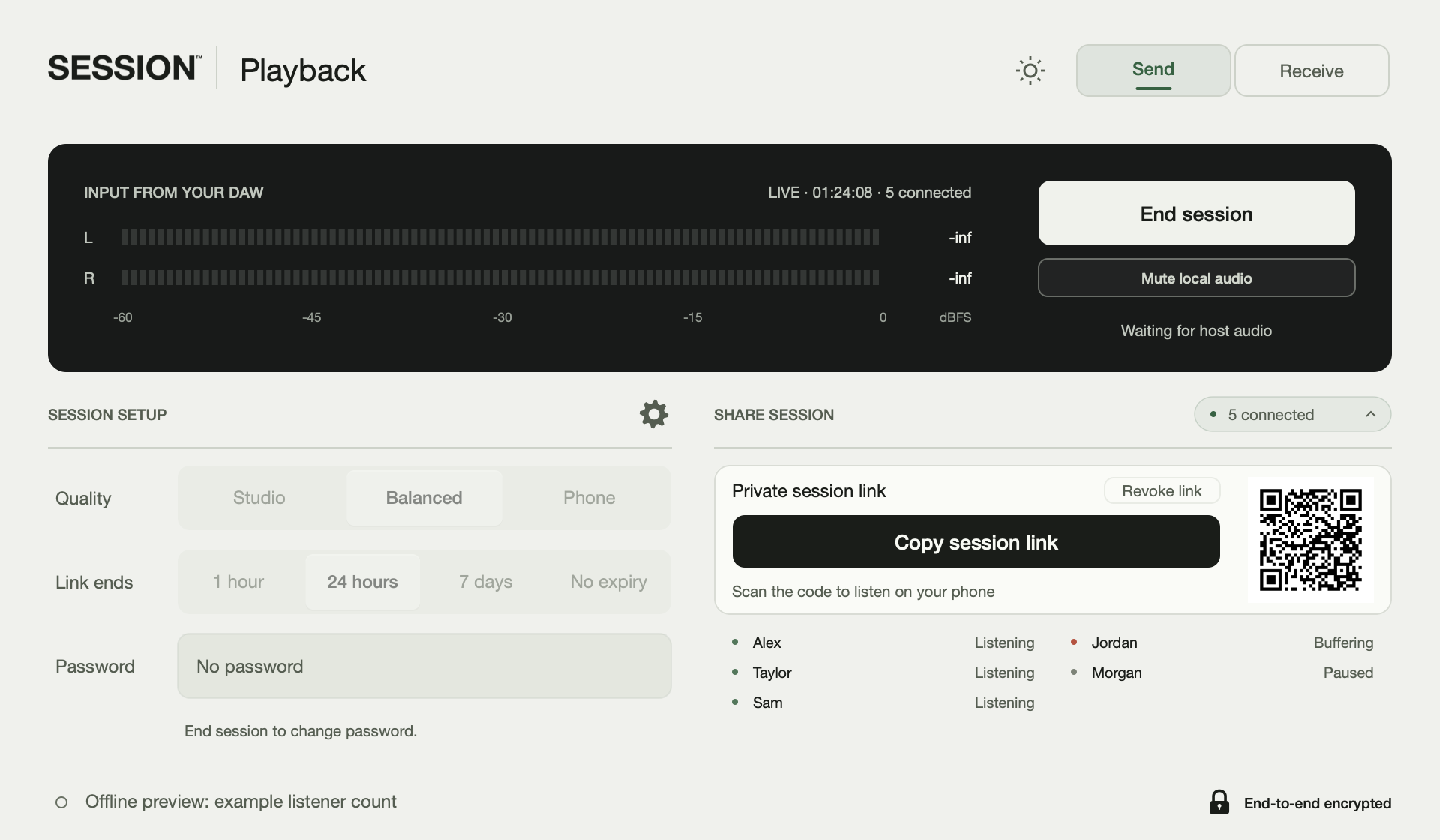
- Insert Playback Send on the stereo bus in your Mac DAW. Choose quality, start the session and confirm the meters.
- Share the invitation. Your client opens it in a supported browser and presses play, without an account or plugin installation.
- Make the mix change while your client listens. Use a separate call for conversation; Playback is for review, not synchronized remote performance.
- Price
- $9.99 a month or $59 a year
- Requirements
- macOS 14.2 or later on Intel or Apple silicon. AU, VST3 and AAX sender plugins. A sender subscription is required; browser listeners are free.
- Input and setup
- Insert Playback Send on the stereo bus, choose the quality before starting, and share the listening link. A browser listener opens the link and presses play without creating an account or installing a plugin.
- Working with it
- Use the stream for listening and mix review, with a separate call for conversation. Playback Receive provides a native receiving route. Review the device and quality requirements before choosing the stream format.
- Before the session
- Up to five simultaneous listeners, with lower limits for the highest Studio formats. Each subscription includes 200 GB per monthly anniversary, counting delivery to each listener. Unused delivery does not roll over; streaming stops at the allowance until reset, without automatic overage charges.
Choose quality for the listening route
Studio offers uncompressed audio. The native route supports 32-bit or 64-bit float at up to 192 kHz; browser playback uses 32-bit float at the output device’s rate. Balanced uses 160 kbps Opus and Phone uses 48 kbps Opus at 48 kHz. These formats do not establish a listening-quality or latency winner against another product.
Listener count and delivery
The normal limit is five listeners. Studio at 88.2 or 96 kHz with 64-bit audio, or 176.4 or 192 kHz with 32-bit audio, allows four. At 176.4 or 192 kHz with 64-bit audio, the limit is two. A stereo binaural render can be shared as stereo; discrete surround channels and Atmos objects are a different delivery.
Run the review
Start a test with the actual client device. Confirm the intended bus is audible and keep the same mix from also playing through the conversation app. Set quality before starting; end and restart the session to change it. Use invitation password, expiry or revocation controls as needed. Anyone who can hear the audio can record it.
Sources and scope
Product documentation reviewed October 17, 2026. These are comparisons of published capabilities, not independent performance tests. Prices and availability can change.